Write any number or money amount in words, in English or in Urdu. Choose the South Asian system (lakh, crore, arab) or the international system (thousand, million, billion), add a currency such as Pakistani Rupees, Dollars or Dirhams, and switch on cheque style to add "Only". It is handy for cheques, invoices, vouchers and forms.
Loading the tool…
How to use the Number to Words Converter
- Choose English or Urdu.
- Type the number. Commas and decimals are fine, for example 1,250.75.
- Optional: choose a currency and tick cheque style to add "Only" (or the Urdu equivalent).
- Copy the words with one click.
Frequently asked questions
How do I write 125000 in words?
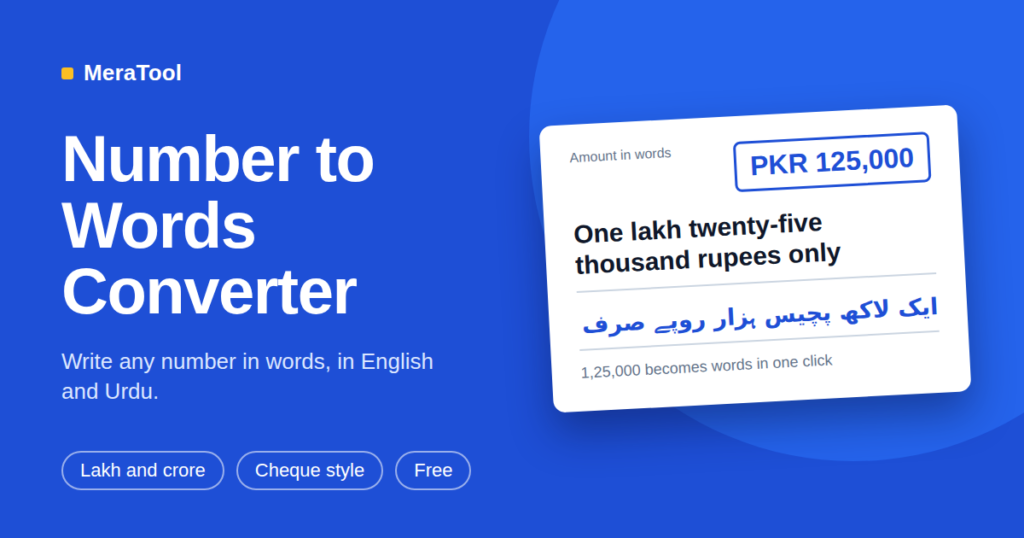
In the South Asian system it is "One lakh twenty-five thousand". In the international system it is "One hundred and twenty-five thousand". In Urdu it is "ایک لاکھ پچیس ہزار".
What is the largest number supported?
Urdu supports numbers up to 99 kharab (below 10 trillion). English supports numbers up to the decillions.
How are decimals handled?
Without a currency, decimals are read digit by digit, so 3.14 becomes "three point one four". With a currency, the part after the point becomes paisa, cents, fils and so on, rounded to two places.
Is the Urdu spelling correct for cheques?
The tool follows standard Urdu number words. Banks may have their own formatting rules, so check the result before writing it on an official document.
Can I convert negative numbers?
Yes. A minus sign at the start gives "minus" in English or "منفی" in Urdu.
More free tools
This tool runs in your browser. The files and text you use are not uploaded to a server.
Number to Words Converter: How to Write Any Number in English and Urdu
Have you ever stopped while writing a cheque because you did not know how to write the amount in words? Or wondered how to spell “125000” correctly on an invoice?
You are not alone. Many people find it hard to write big numbers in words. The good news is that you can do it in one second with a free number to words converter.
In this post, you will learn what a number to words converter is, how it works, and how to use the free tool on MeraTool.
What Is a Number to Words Converter?
A number to words converter changes digits into written words.
Example:
- Number: 125000
- Words: One lakh twenty-five thousand
You type the number, and the tool gives you the words. No thinking, no spelling mistakes.
Why Do We Need to Write Numbers in Words?
Writing numbers in words is very common. People use it for:
- Cheques: Banks ask for the amount in words so nobody can change the number.
- Invoices and bills: Many businesses write the total in words.
- Vouchers and receipts: It makes the amount clear.
- Forms and legal papers: Words are harder to change than digits.
- School and exams: Students often need to practice number spelling.
Two Number Systems: Which One Should You Use?
This is where many people get confused. There are two systems.
1. South Asian System
Used in Pakistan, India and nearby countries. It uses lakh, crore and arab.
Example: 125000 = One lakh twenty-five thousand
2. International System
Used in most of the world. It uses thousand, million and billion.
Example: 125000 = One hundred and twenty-five thousand
The number is the same. Only the words are different. Our tool lets you choose the system you need.
Number to Words in Urdu
Writing numbers in Urdu can be even harder, because Urdu has its own special number words.
For example, 125000 in Urdu is:
ایک لاکھ پچیس ہزار
Our tool supports Urdu numbers up to 99 kharab. So you can write big amounts in Urdu without any stress.
Main Features of the MeraTool Number to Words Converter
- English and Urdu: Switch between both languages easily.
- Lakh and crore support: Choose the South Asian or international system.
- Currency support: Add Pakistani Rupees (PKR), US Dollars (USD), UAE Dirhams (AED) and more.
- Cheque style: Add the word “Only” at the end, just like on a cheque.
- Decimals and commas: You can type numbers like 1,250.75 and the tool understands them.
- Negative numbers: A minus sign gives “minus” in English or “منفی” in Urdu.
- One-click copy: Copy the words and paste them anywhere.
- Free and private: It runs in your browser. Your text is not uploaded to a server.
How to Use the Number to Words Converter (Step by Step)
- Open the Number to Words Converter.
- Choose English or Urdu.
- Type your number. Commas and decimals are fine.
- (Optional) Choose a currency and tick cheque style.
- Click copy and use the words wherever you need them.
That is it. It takes less than a minute.
How Are Decimals Written?
- Without currency: Decimals are read digit by digit. So 3.14 becomes “three point one four”.
- With currency: The part after the point becomes paisa, cents or fils. The tool rounds it to two decimal places.
Tips for Writing Amounts on a Cheque
- Always write the amount in words and in numbers. They must match.
- Add “Only” at the end so no one can add more words.
- Do not leave empty space after the words.
- Check your bank’s rules. Some banks have their own format.
Frequently Asked Questions (FAQs)
How do I write 125000 in words?
In the South Asian system, it is “One lakh twenty-five thousand”. In the international system, it is “One hundred and twenty-five thousand”. In Urdu, it is “ایک لاکھ پچیس ہزار”.
What is the biggest number the tool supports?
Urdu supports numbers up to 99 kharab (below 10 trillion). English supports numbers up to the decillions.
Can I convert negative numbers?
Yes. Put a minus sign at the start of the number.
Is the Urdu spelling correct for cheques?
The tool follows standard Urdu number words. But banks may have their own rules, so please check the result before writing it on an official document.
Is the tool free?
Yes, it is completely free to use.
Final Words
Writing numbers in words does not have to be hard. Whether you are filling a cheque, making an invoice or helping with homework, a good number to words converter saves time and avoids mistakes.
Try it now: Number to Words Converter on MeraTool
You may also like these free tools: