Create a hilarious AI cat video featuring a white cat applying makeup while driving and three terrified cats screaming inside a speeding car. Get image prompts and a complete 15-second video prompt.
AI Cat Video Image Prompt
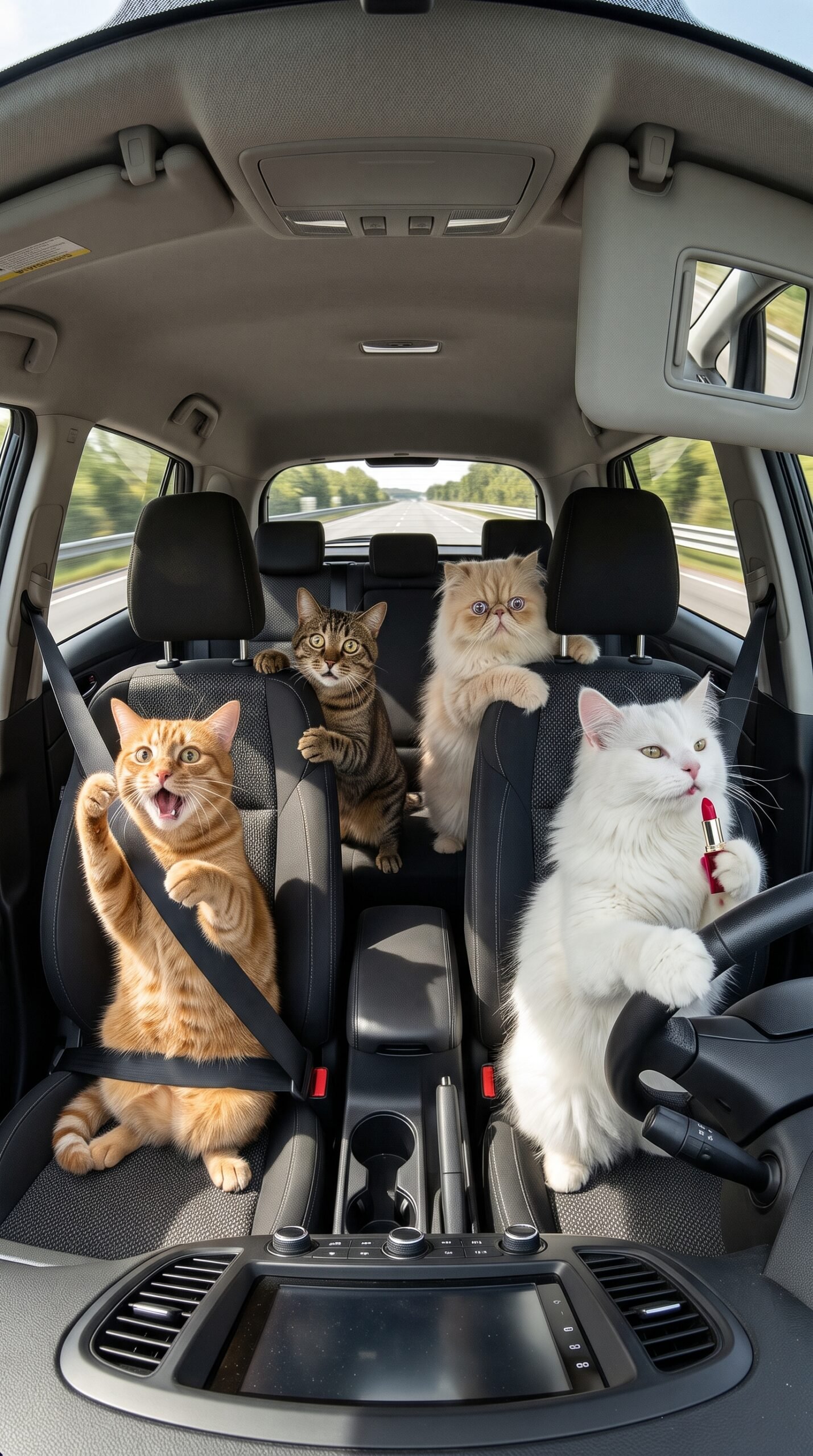
Create a highly detailed, funny photorealistic image of four cats inside a modern car, viewed from a fixed dashboard-mounted camera facing the occupants.
A fluffy white cat sits in the driver’s seat with one paw on the steering wheel and bright red lipstick in the other paw, looking completely calm and unconcerned. An orange tabby cat sits in the front passenger seat with wide eyes, an open mouth, and a shocked expression. In the back seat, a brown tabby cat and a fluffy cream Persian cat look extremely frightened, gripping the seats with their paws.
Show a highway passing outside the windows with subtle motion blur to suggest speed. The car interior is realistic, with visible seats, seat belts, dashboard details, and natural daylight.
The humor comes from the contrast between the calm white cat and the panicking passengers. Exaggerated but believable feline facial expressions, detailed fur, cinematic lighting, realistic cat anatomy, 16:9 composition, fixed dashboard-camera perspective.
No humans, no extra cats, no duplicated characters, no distorted paws, no text, no logos, and no watermarks.
My Result
Funny AI Cat Video Prompt: Four Cats in a Speeding Car
Looking for a funny AI video idea that combines adorable cats, exaggerated reactions, and unexpected comedy? This funny AI cat video prompt features four cats inside a moving car, where a completely calm white cat attempts to apply makeup while the other three cats panic.
The white cat driver casually applies red lipstick and mascara, while an orange tabby, a brown tabby, and a cream Persian react with increasingly dramatic expressions. The contrast between the driver’s relaxed attitude and the passengers’ exaggerated fear creates an absurd comedy concept designed for short-form AI videos.
In this guide, you will find three image prompts, a scene-by-scene breakdown, tips for generating consistent cat characters, and the complete 15-second AI video prompt at the end.
What Makes This Funny AI Cat Video Idea Entertaining?
Animal comedy works especially well when the characters have distinct personalities and the situation develops quickly. This concept gives each cat a clear role.
- White cat: The calm, makeup-obsessed driver.
- Orange tabby cat: The shocked front passenger.
- Brown tabby cat: The rear passenger who slides across the seat during the sudden turn.
- Cream Persian cat: The fluffy, frightened passenger in the back.
The main comedic contrast is that the white cat acts as if everything is perfectly normal while the other cats react dramatically to every movement.
The video uses a fixed dashboard-camera perspective, exaggerated feline expressions, realistic fur, and subtle motion blur to create a funny, cinematic result.
Step 1: Generate Three Reference Images
Before creating the video, generate three reference images representing the main story moments.
Image 1: The Calm White Cat Driver
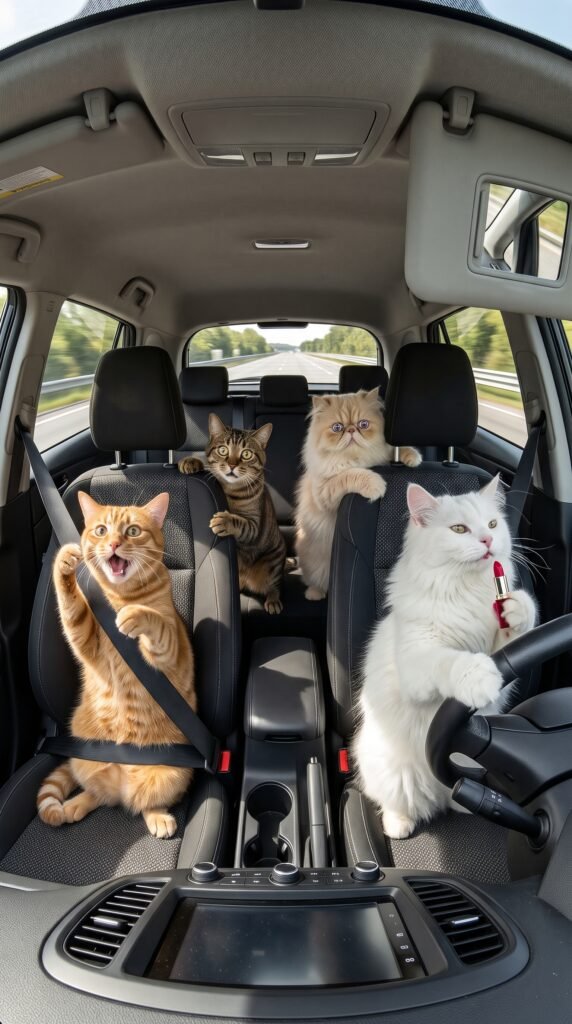
The opening image introduces all four cats. The white cat holds red lipstick while keeping a paw on the steering wheel. The orange tabby, brown tabby, and cream Persian look increasingly nervous.
Use this image to establish the car interior, character identities, fur patterns, and seating positions.
Image 2: The Sudden Swerve
The second image captures the comedic chaos as the car turns sharply. The brown tabby slides sideways across the rear seat, the orange tabby braces against the door, and the cream Persian reacts in fear.
The white cat remains remarkably calm, maintaining the central joke.
Image 3: The Mascara Scene
The third image shows the white cat attempting to apply mascara while the other cats continue reacting dramatically. This creates the setup for the final moment of the video.
Use the three image prompts above to generate these references. If your image generator supports reference images, use the first image as a guide for the other two.
Step 2: Create the AI Video
Open your preferred AI video generator, such as Veo, and use your reference images if image-based generation is supported.
The complete prompt is divided into four time-coded scenes covering a total of 15 seconds. Depending on your tool’s supported clip length, you may need to generate shorter clips separately and combine them in a video editor.
For better results:
- Keep the camera in the same dashboard-mounted position.
- Maintain the same four cats, fur colors, and seating positions.
- Use simple, readable movements instead of too many simultaneous actions.
- Keep the white cat’s expression calm to preserve the main comedic contrast.
- Use subtle motion blur and vehicle sway to communicate movement.
Step 3: Understand the Scene-by-Scene Story
Scene 1: 0–3 Seconds — Lipstick While Driving
The white cat holds the steering wheel and casually applies red lipstick. The orange tabby and the two rear-seat cats react with exaggerated fear.
This scene immediately establishes the joke: the driver seems unconcerned, even though the passengers are terrified.
Scene 2: 3–7 Seconds — The Sudden Swerve
The car swerves, and the brown tabby slides sideways across the back seat. The orange tabby braces against the door, while the white cat remains calm.
The fixed camera and subtle vehicle movement make the scene feel like a continuous recording.
Scene 3: 7–11 Seconds — Mascara Time
The white cat puts down the lipstick and picks up a mascara brush. It attempts to apply mascara while the passenger cats continue reacting in disbelief.
The increasingly ridiculous behavior builds on the original joke.
Scene 4: 11–15 Seconds — The Final Chaos
The vehicle jolts again, and the passenger cats tumble and scramble across their seats. Meanwhile, the white cat calmly finishes its makeup.
End with the same fixed camera angle and strong contrast between the driver’s composure and the passengers’ exaggerated reactions.
Step 4: Improve Character Consistency
AI-generated animal videos can sometimes change fur patterns, facial features, or the number of characters between shots. A few simple precautions can help:
- Reuse the same reference image whenever possible.
- Describe each cat by its exact fur color and seat position.
- Keep the car interior and camera angle consistent.
- Avoid unnecessary camera cuts.
- Check that the mascara brush, lipstick, steering wheel, and cat paws remain visually coherent.
If the generator struggles with several actions at once, simplify the scene and generate each part separately.
Step 5: Add Sound for More Comedy
Sound effects can make the reactions feel more expressive. Consider using subtle engine noise, road ambience, tire sounds during the swerve, and exaggerated but non-distressing cartoon-style cat reactions.
If your video generator supports audio, include the sound instructions in the prompt. Otherwise, add the sounds during editing.
Keep the scene clearly fictional and avoid depicting real animals being placed in danger. The comedy should come from the impossible, exaggerated behavior of the AI-generated characters.
Create More AI Video Prompts With Meratool
Want to create more funny animal videos, cinematic AI scenes, or short-form content ideas? Visit Meratool.com to explore AI tools that can help with your creative workflow.
You can also try our Video to Prompt Tool to explore a workflow for turning video references into structured prompts. Choose the relevant tool page on Meratool and link to it directly for a more useful visitor experience.
Final AI Video Prompt
Ready to generate the video? Copy the complete 15-second prompt below into your preferred AI video generator.
It includes all four cat characters, the fixed dashboard-camera perspective, time-coded actions, visual style, and negative prompt in one place.
For the best chance of consistent results, use your reference images where supported and generate the scenes separately if your video tool cannot produce the full sequence in one attempt.
Funny AI Cat Video Prompt: Four Cats in a Speeding Car
Create a 15-second photorealistic fictional animal-comedy video featuring four expressive cats inside a moving car on a highway. Use a fixed dashboard-mounted camera facing the car’s occupants throughout the entire video.
CHARACTERS:
- White cat: Driver, calm and completely nonchalant, holding red lipstick and later a mascara brush.
- Orange tabby cat: Front passenger, wide-eyed and visibly alarmed.
- Brown tabby cat: Rear passenger, reacting dramatically to the vehicle’s movement.
- Cream Persian cat: Rear passenger, fluffy fur and exaggerated frightened expressions.
Keep all four cats visually consistent throughout the video. Preserve their fur colors, facial features, and seating positions.
SCENE 1 — 00:00–00:03
Camera: Static interior dashboard shot.
A car travels along a highway. The white cat sits in the driver’s seat, keeping one paw on the steering wheel while holding red lipstick with the other. The white cat calmly applies lipstick. The orange tabby in the front passenger seat looks shocked, while the brown tabby and cream Persian in the back seat react with exaggerated alarm.
SCENE 2 — 00:03–00:07
Camera: Same fixed dashboard angle with subtle vehicle sway.
The car makes a sudden sharp turn. The brown tabby slides sideways across the rear seat, while the orange tabby braces against the passenger door. The cream Persian reacts with a startled expression. The white cat remains remarkably calm, holding the lipstick and keeping a paw on the steering wheel.
SCENE 3 — 00:07–00:11
Camera: Static interior dashboard shot.
The white cat puts down the lipstick, picks up a mascara brush, and attempts to apply mascara while the other cats continue reacting in disbelief. The white cat briefly closes its eyes during the makeup gesture. The passenger cats display exaggerated, comedic panic.
SCENE 4 — 00:11–00:15
Camera: Same dashboard angle with another brief vehicle jolt.
The car sways again, and the three passenger cats scramble to maintain their positions on the seats. The white cat calmly finishes its makeup gesture while maintaining its composed expression. End with the contrast between the unbothered driver and the dramatically alarmed passengers.
VISUAL STYLE:
Photorealistic cat fur, detailed whiskers, expressive feline faces, realistic car interior, natural daylight, subtle exterior highway motion blur, fixed dashboard-camera perspective, and absurd cinematic comedy.
AUDIO:
Soft engine and road ambience, subtle tire sounds during turns, and playful cartoon-style reaction sounds. No narration or background music.
NEGATIVE PROMPT:
No humans, no additional cats, no duplicated characters, no changing fur colors, no distorted paws, no extra limbs, no floating objects, no graphic injuries, no blood, no text, no subtitles, no logos, and no watermarks.
The scene is entirely fictional and uses exaggerated cartoon-style comedy. Keep the camera fixed, the cat identities consistent, and the actions visually clear throughout all four time-coded scenes.
My Result
Ready to create your own AI video prompts? Try our Video to Prompt Tool to turn video ideas into detailed prompts for your next AI video project.
Leave a Reply