Case Converter
Convert your text into uppercase, lowercase, title case and more. Paste your text below and choose a conversion.
Choose a text format
Writing in the correct letter case makes your text easier to read and more professional. Whether you are preparing an article, editing an email, creating social media content, or formatting notes, our free Case Converter helps you change text into different letter cases in seconds.
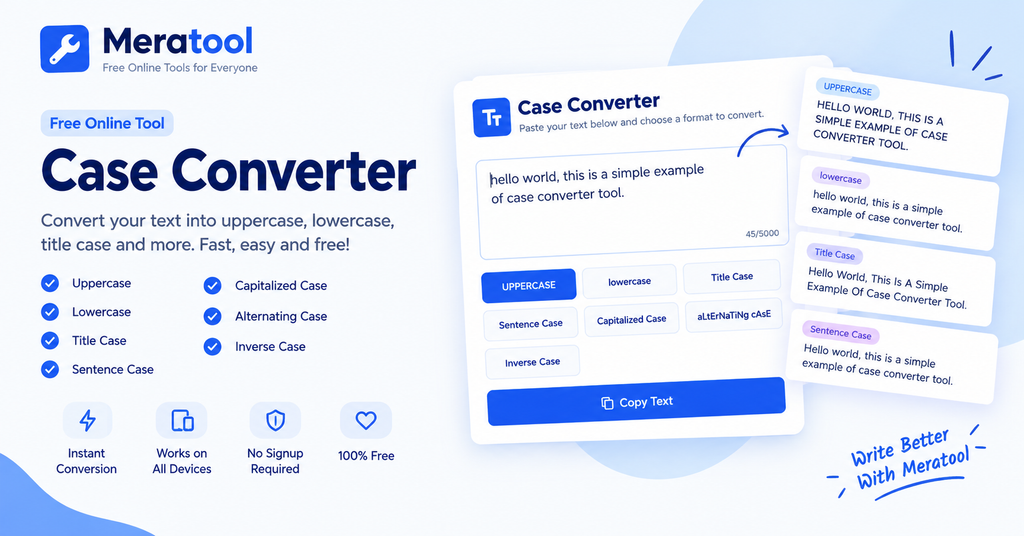
Meratool’s online Case Converter lets you transform text into uppercase, lowercase, title case, sentence case, capitalized case, alternating case, and inverse case. Simply enter your text, select a conversion option, and copy the result.
No complicated software or manual editing is required.
What Is a Case Converter?
A case converter is an online text formatting tool that changes the capitalization of letters without requiring you to rewrite your content. It can convert an entire paragraph, a sentence, a heading, or a single word into a different letter case.
For example, you can change “hello world” to “HELLO WORLD” using uppercase conversion or turn “THIS IS A TEST” into “this is a test” using lowercase conversion.
A text case converter is useful for students, writers, bloggers, content creators, office workers, and anyone who regularly works with text.
How to Use the Meratool Case Converter
Follow these simple steps to convert your text:
- Enter your text: Type or paste your words, sentences, or paragraphs into the text box.
- Choose a case format: Select the conversion you need, such as UPPERCASE, lowercase, Title Case, or Sentence case.
- Check the result: Your text will be converted in the text box.
- Copy your text: Click the Copy Text button to copy the converted content.
- Use your text: Paste the result into your document, email, blog post, social media caption, or other application.
You can also use Select All to select the text or Clear Text to start again.
Types of Text Case Conversion
1. Uppercase Converter
Uppercase converts every letter to capital letters.
Example:
Input: hello world
Output: HELLO WORLD
Use uppercase for headings, labels, emphasis, or text that needs to appear in capital letters.
2. Lowercase Converter
Lowercase changes capital letters into small letters.
Example:
Input: HELLO WORLD
Output: hello world
This option is helpful when text has unnecessary capital letters or needs consistent lowercase formatting.
3. Title Case Converter
Title Case capitalizes the first letter of words while converting the remaining letters to lowercase.
Example:
Input: the ultimate guide to online tools
Output: The Ultimate Guide To Online Tools
Title case can be useful for headings, titles, and labels. Different writing styles may use different rules for short words such as “to,” “and,” or “of,” so review your title before publishing.
4. Sentence Case Converter
Sentence case capitalizes the beginning of the text and letters following common sentence-ending punctuation.
Example:
Input: THIS IS A SIMPLE EXAMPLE. HERE IS ANOTHER SENTENCE.
Output: This is a simple example. Here is another sentence.
Use sentence case for paragraphs, descriptions, notes, and everyday writing. Always review abbreviations and proper names after conversion.
5. Capitalized Case
Capitalized Case makes the first letter of each word uppercase while preserving the rest of each word.
Example:
Input: welcome to meratool
Output: Welcome To Meratool
This format can help you quickly capitalize words, although it may leave existing uppercase letters unchanged.
6. Alternating Case
Alternating case switches between uppercase and lowercase letters.
Example:
Input: hello world
Output: HeLlO WoRlD
It can be used for playful text, memes, and informal social media posts.
7. Inverse Case
Inverse case switches the capitalization of existing letters.
Example:
Input: HeLLo WoRLD
Output: hEllO wOrld
This option is useful when you want to reverse the current capitalization pattern.
Why Use an Online Case Converter?
Manually changing the capitalization of long paragraphs can take time and lead to mistakes. An online case converter makes the process faster and more convenient.
Benefits include:
- Saves time: Convert large amounts of text with a single click.
- Easy to use: No advanced editing skills are needed.
- Multiple formats: Choose from several common text case styles.
- Quick copying: Copy converted text for use in other applications.
- Useful for everyday work: Format headings, emails, notes, descriptions, and social media captions.
- Convenient access: Use the tool in a compatible browser on a computer, tablet, or mobile phone.
Who Can Use a Case Converter?
Students and Teachers
Format assignment headings, study notes, and other educational text quickly.
Bloggers and Writers
Prepare article headings, draft titles, and text that needs consistent capitalization.
Digital Marketers
Format campaign copy, product descriptions, promotional text, and social media captions.
Office Professionals
Standardize text in emails, reports, notes, and other everyday documents.
Social Media Users
Create capitalized captions, uppercase announcements, and alternating-case text for informal posts.
Case Converter vs. Manual Editing
Manual editing is suitable for short text or when you need precise control over every word. A case converter is more convenient when you need to change capitalization across many words or paragraphs.
However, automatic conversion does not understand every writing context. Always review proper nouns, brand names, abbreviations, acronyms, and specialized terms before using converted text in a final document.
Frequently Asked Questions (FAQs)
What is a case converter?
A case converter is a text formatting tool that changes letters into uppercase, lowercase, title case, sentence case, and other capitalization formats.
Is the Meratool Case Converter free?
Yes. You can use the available text case conversion features on this page without paying for a subscription.
How do I convert uppercase text to lowercase?
Paste your text into the input box and select the lowercase option. The tool will change capital letters into lowercase letters.
How do I convert lowercase text to uppercase?
Enter or paste your text and click UPPERCASE. All letters will be converted to capital letters.
What is the difference between title case and sentence case?
Title case capitalizes the first letter of words, while sentence case capitalizes the beginning of a sentence and generally keeps the rest of the sentence lowercase.
Can I convert an entire paragraph at once?
Yes. Paste an entire paragraph into the text box and choose the desired case format. You can convert multiple sentences at once.
Does the case converter change the meaning of my text?
Changing letter case generally does not change the words themselves, but capitalization can affect names, abbreviations, acronyms, and meaning in some contexts. Review the output before using it.
Can I use this tool on my phone?
Yes. The page is designed to work on compatible mobile browsers as well as desktop browsers.
Can I copy the converted text?
Yes. Click Copy Text to copy the converted result. If clipboard access is blocked by your browser, select the text and copy it manually.
Does the tool count words and characters?
Yes. The tool displays word count, character count, character count without spaces, and sentence count as you type or convert text.
Do I need to install an app?
No installation is needed. You can use the online tool directly in your browser.
Is a case converter useful for SEO?
A case converter can help format headings and text, but changing capitalization alone does not improve search rankings. Useful content, relevant topics, good page structure, and a positive user experience remain important.
Convert Your Text with Meratool
Make text formatting quicker with the Meratool Case Converter. Choose the case style you need, convert your text, and copy the result for your next project.
Try the tool above whenever you need to change text capitalization quickly and conveniently.